
Seedance
Seedance 1.5 Pro by ByteDance
- Starts from
- A sentence
- Length
- 5 seconds
- Sound
- No sound
- Price
- 32 Gems (24 Gems with Pro)
Describe a scene and AI Artist turns it into a short video clip. Say what happens and how the camera moves. The videos below were made in the app from the prompts shown under them, word for word. This page lists 2 of the models that do it in AI Artist, with what each one makes and costs.
Last modified: · Models and prices as in the app on

Each one shows the prompt that made it, exactly as it was typed into the app.
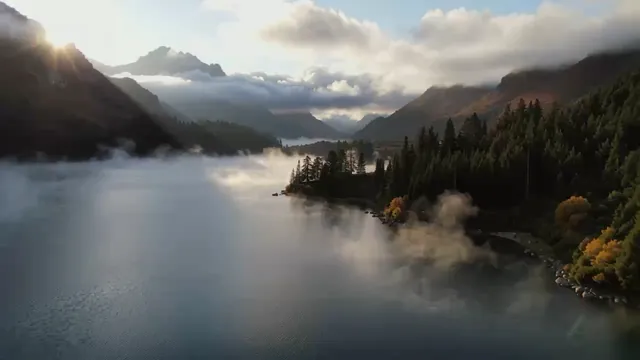
Autumn lake
Made with Kling Ai
Slow aerial drone shot gliding over a misty mountain lake at sunrise, pine forests along the shore, golden light breaking through the clouds, cinematic

Fox in the snow
Made with Kling Ai
A red fox walking through fresh snow in a quiet forest, snowflakes falling, the camera tracking alongside at eye level, soft winter light

Latte art
Made with Seedance
Close-up of a barista pouring steamed milk into a latte, a leaf pattern forming on the surface, slow motion, warm café light, shallow depth of field
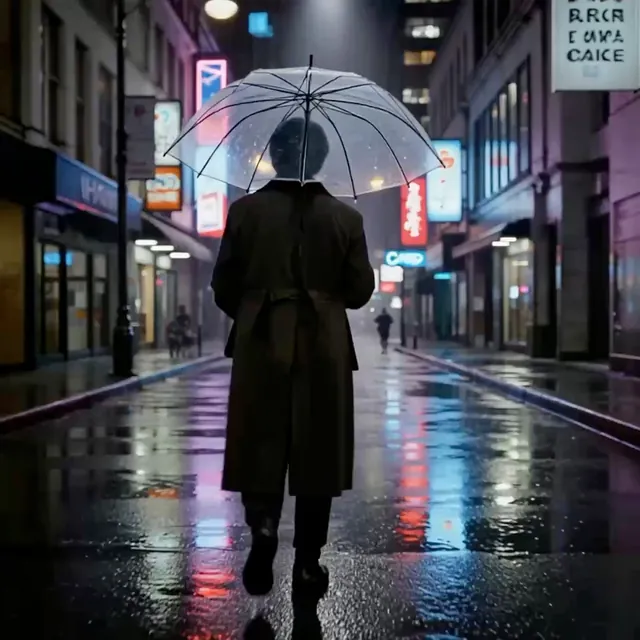
Neon rain
Made with Seedance
A rainy city street at night lit by neon signs, reflections on the wet road, a person with a clear umbrella walking away from the camera, slow push-in, cinematic
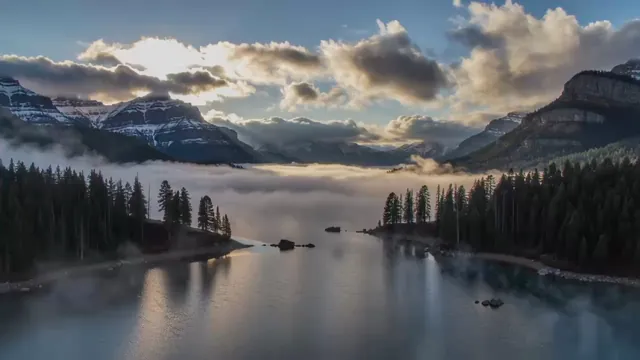
Mountain lake at dawn
Made with Kling Ai
Slow aerial drone shot gliding over a misty mountain lake at sunrise, pine forests along the shore, golden light breaking through the clouds, cinematic
Seedance 1.5 Pro by ByteDance

Kling 2.5 Turbo by Kuaishou
Open AI Artist on your iPhone and choose Video on the Home screen.
Pick a model. Each one shows how long its videos are, whether they have sound, and its price.
Describe the scene, and how the camera should move, for example "a slow aerial flight over a misty lake".
Tap Create. Videos take a few minutes.
It depends on the model. Each model on this page shows the length of its videos.
Some models make sound and some do not. Each model on this page says which.
Yes. The image to video models start from a photo you add and bring it to life.
Each model's price is shown beside it on this page, and in the app before you create. Premium models cost Gems per creation, and Pro members pay less for them.
Yes, while you have Pro. Without Pro, what you make is for personal use only. Some model makers have their own rules, and those apply too. The Terms of Use have the details.
Not yet. AI Artist is an iPhone app, available on the App Store. A version that runs in your web browser is being built.
AI Artist is available for iPhone on the App Store.